Give your people a safe place to practice human skills.
Know themselves. Show up with confidence.
People development spaces
Practice safely, then apply it at work
Start with a goal you write. Create a learning roleplay from it through the creation wizard, invite your team to play sessions, and they get real-time hints on target skills. You track progress along the way.
Learning roleplay
Set a goal, build the program, share it with your team
Set scope: goal
Write what you want this roleplay to achieve. That goal is the starting point for the creation wizard.
Run the wizard
Clarify context, pick KPIs, review the AI draft, and materialize sessions with cast, characters, and target skills until the program matches your intent.
Share with your team
Invite your team after profile review. They practice the same sessions so you can see how each person differs.
People development roleplay
Analysis
Engagement and improvement in one place
Cohort activity, progress by session, and skills: tied to the learning roleplay you published.
Overview
Members, started and completed, at risk, sessions started vs completed, dialogues. Go to member progress for per-person detail.
WiseWorldRoleplay analytics overview
Performance by session
Average progress and a view of how performance moves across sessions.
WiseWorldPerformance by session
Skills
Profile and best skills, with skills split between learning and assessment sessions.
WiseWorldSkills analysis and profile
People analytics
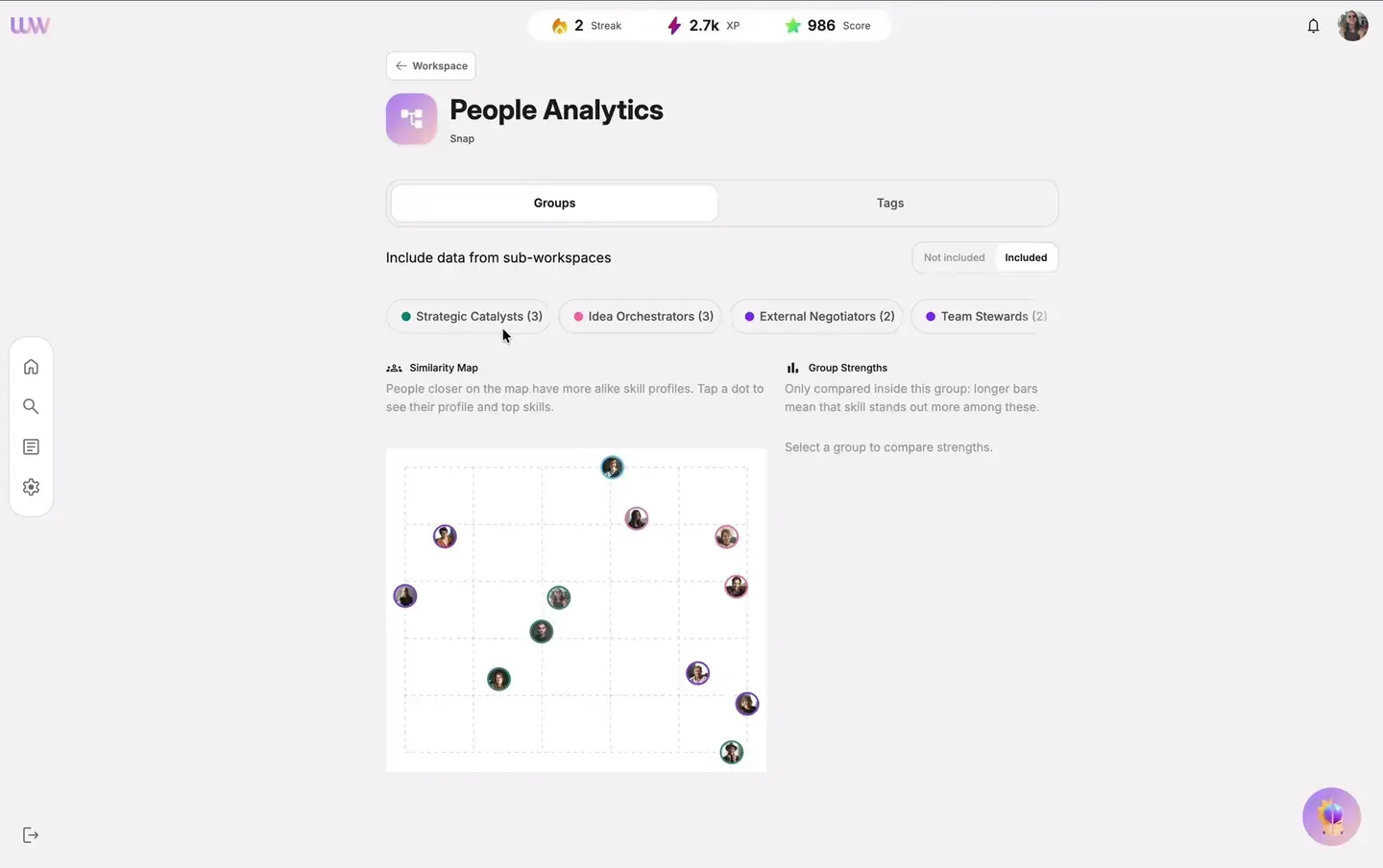
For your people development space, see how the team compares in one place: filter who you look at, spot patterns, and read which skills stand out.
Use Groups or Tags to focus on the people you care about.
Similarity map: people closer together have more alike skill profiles.
Group strengths: longer bars mean that skill stands out more in that group.